 Demirline
Sentence-aligned dual captions
Source line plus translation, in lockstep. The source track is picked automatically and can be changed per video.
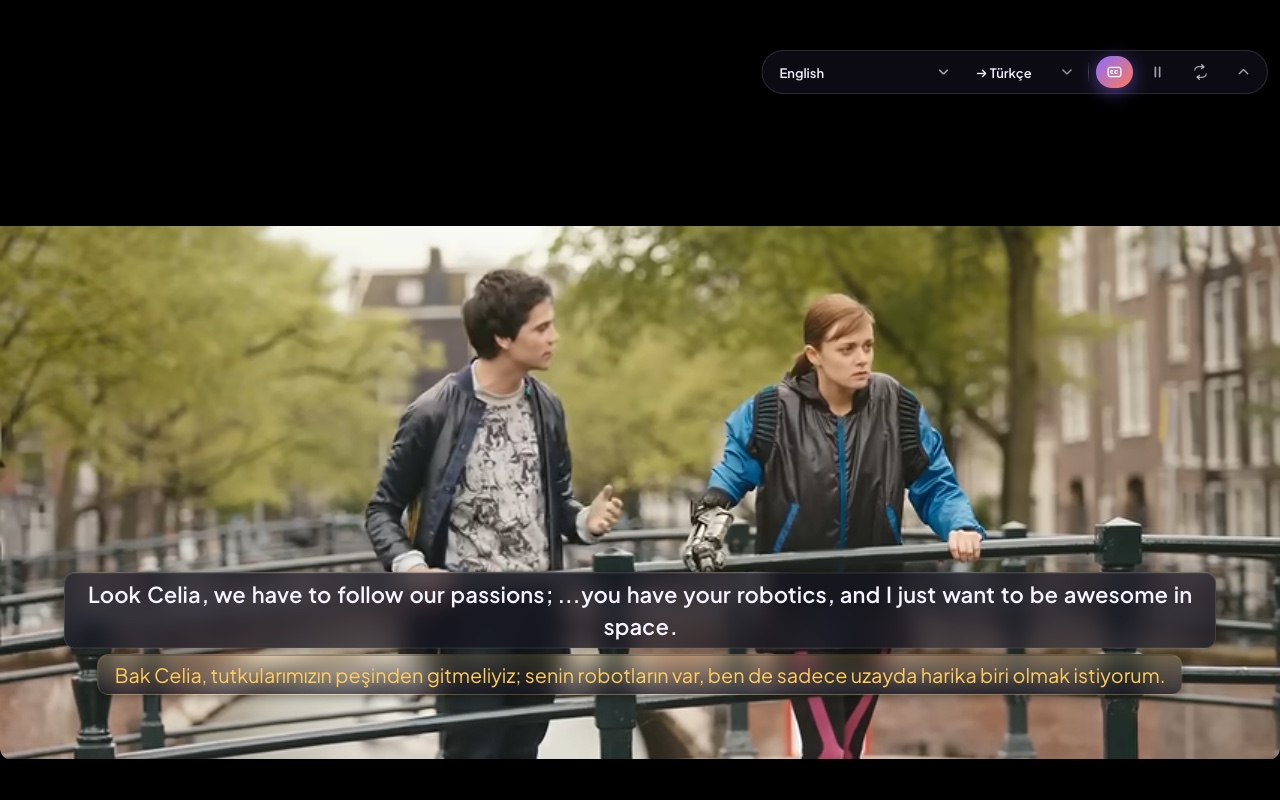
Original captions plus AI translation on YouTube. Click words, repeat sentences, and translate paragraphs on any site. No account — start free instantly or connect your own key.
Install from the Chrome Web Store — start free or bring your own API key.
Subtitles, dictionary, and translation sit on the player — your API key, your pace.
Source line plus translation, in lockstep. The source track is picked automatically and can be changed per video.
Tap a caption word. IPA, examples, synonyms, and pronunciation without leaving the video.
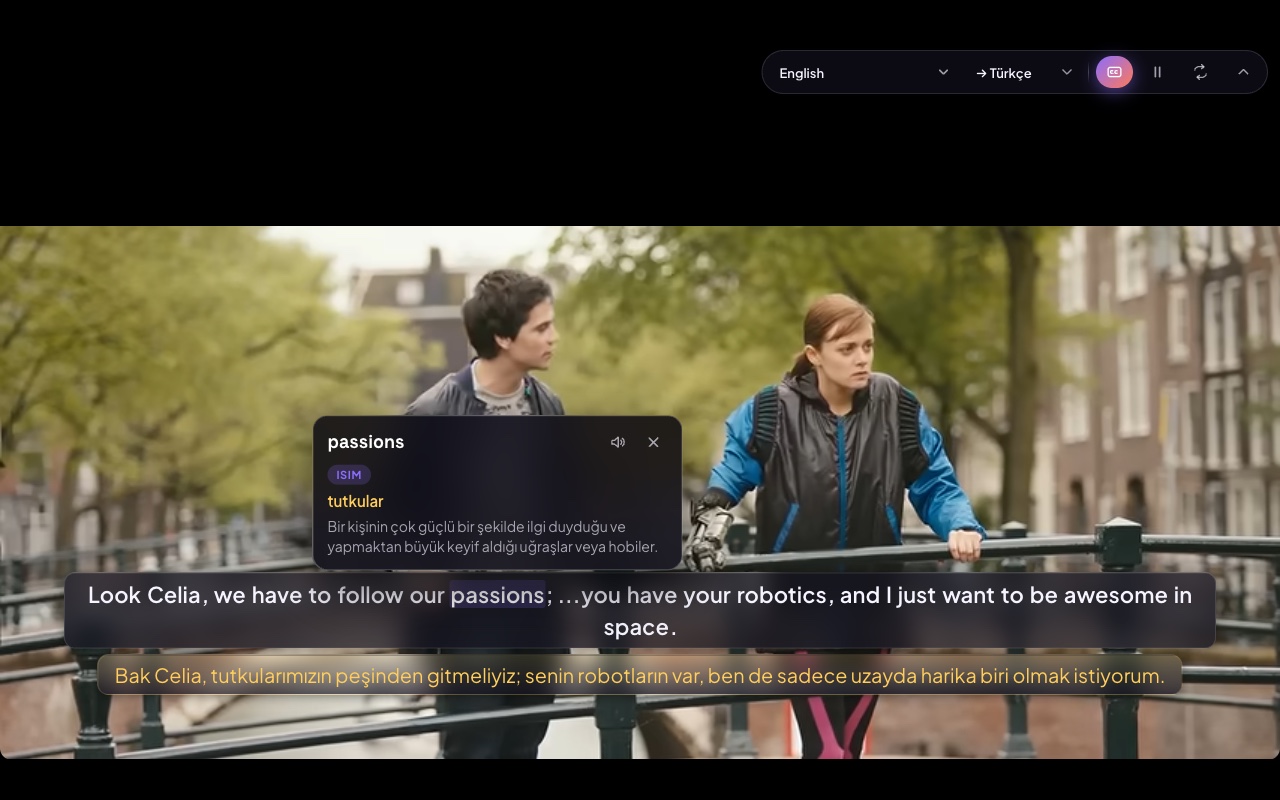
Press S to hear the line again. Optional auto-pause keeps the pace yours.
Paragraph (Alt+T) and sentence (Alt+S) — hotkey only.
OpenAI, Anthropic, Gemini, or OpenRouter. The key never reaches content scripts.
Ten languages; follows the browser. Pick target language and models in settings.
Defaults. Change them in Settings — some sites may claim the same shortcuts.
Replay the active caption sentence.
Look up the selected word on any site.
Translate the paragraph you are in.
Translate the selected or current sentence.
Provider, model, target language, and hotkeys. Quick switches from the popup.
Translation goes to the provider you choose — not to us.
Add Demirline from the Chrome Web Store. YouTube and AI host permissions are listed in the manifest.
Start with the built-in free tier or paste your own API key in Settings.
Open a captioned video. Read both lines, look up words, repeat sentences.
Dual subtitles, dictionary, and a 20-entry notebook. Extra plans appear here when checkout is live.
Unlimited dual subtitles, dictionary, and on-page translation. Built-in free tier or your own API key. 20 notebook entries.
Add to ChromeCheckout is not live yet. Paid options will be listed here when they are.
Coming soon